Overview
There is no better than adversity. Every defeat, every heartbreak, every loss, contains its own seed, its own lesson on how to improve your performance the next time.
- Malcom X
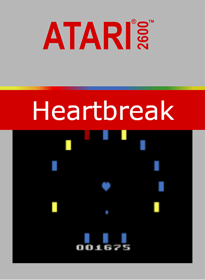
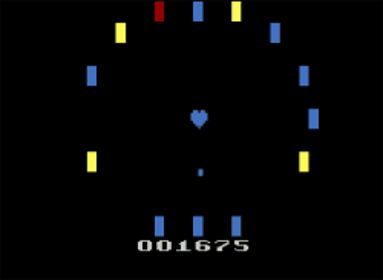
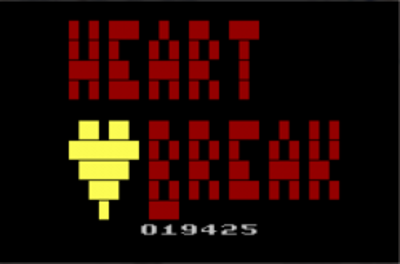
Heartbreak is an colorful original arcade-style game inspired by Breakout. The game was designed and prototyped for the 2013 Global Game Jam competition and won Best Game Mechanics and Player's Choice awards in the local chapter.
Thanks to Omegamatrix for developing a kernel for Heartbreak and to ACrystal2011 and StaticHamster for testing! Extra thanks to the AtariAge.com homebrew community for all the help in getting things to work!
How to Play
Use right/left or clockwise/counter-clockwise on the Atari Driving Controller to rotate the blocks clockwise and counter-clockwise, respectively.
Lives
Each game mode has 9 lives before heartbreak (loss), with 3 hits per each of the 3 heart sizes. All heart sizes are restored at the beginning of a level.
Scoring
Red and Blue game modes give points for each broken block and bonus points for the heart size (600 for large, 400 for medium, 200 for small). Yellow and Green games give points only for cumulative ball bounces, so try to keep that ball moving!
Game Modes
On the title screen, choose left/right, select, or rotate clockwise/counter clockwise on the driving controller to select the desired game mode.
Red
Fire when the heart is pulsing the desired color. Match primary colors to a block of the same color or a block that contains the primary color until all blocks are broken. White blocks will give a heart size back. Avoid hitting blocks that are black at the start of the level.
Yellow
Fire when the heart is pulsing the desired color. Press fire at any time to change the ball's color to the current color of the heart. Keep the ball bouncing by matching primary colors to a block of the same color or a block that contains the primary color until all blocks are broken. White blocks will give a heart size back. Avoid hitting blocks that are black at the start of the level.
Blue
Fire when the heart is pulsing the desired color. Match primary colors to a block that does not already contain the current color until all blocks are white. Avoid matching colors to blocks that already contain the currently-selected color.
Green
Fire when the heart is pulsing the desired color. Press fire at any time to change the ball's color to the current color of the heart. Keep the ball bouncing by matching primary colors to blocks that do not already contain the current color until all blocks are white. Avoid matching colors to blocks that already contain the currently-selected color.
The Way Colors Work
Tip: Remember your finger paints:
Red + Yellow = Orange
Yellow + Blue = Green
Red + Blue = Purple
All Colors = White
No Colors = Black
Special Functions
Switching Controllers
To switch between a standard joystick controller and an Atari Driving Controller, simply plug in the desired controller at any time. It will be detected automatically.
Increased Difficulty
For a greater challenge, set the left difficulty switch to A (Pro). The ball will speed up over time.
Saving High Scores
If a valid AtariVox or SaveKey is detected in the second controller port, the current highest score will be displayed on the title screen when the game is turned on. High scores are automatically saved on the title screen when the player loses or toggles reset to return to the title screen.
Erasing High Scores
To clear the high score, hit fire while holding select when in one of the four game modes. The current score will be saved as the new high score the next time the player returns to the title screen.
Muting the Heartbeat
If you prefer not to hear the heartbeat while in game, toggle the Color/B&W switch to B&W.
- Developers
- Cybearg
- Publishers
- AtariAge
- Platform
- Atari 2600
- Genre
- Shooter
- Alternate Names
- No information available
- Wikipedia
- No information available
- Video
- No information available