
Overview
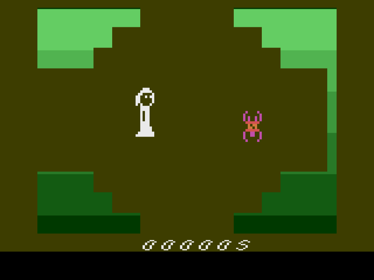
The adventure begins in a wood filled with mysteries and deadly creatures. In the distance, a no-less-threatening castle looms. Escaping is the only option for survival.
Controls
- Joystick: Moves the adventurer in all directions.
- Fire Button: Activates objects.
Gameplay Mode
- Single-player: Our adventurer must escape the wood by avoiding creatures and solving puzzles.
Game Objective
- Explore the wood in search of useful items to progress in the adventure. The goal is to escape as quickly as possible. You have only one chance to escape.
Scoring
- Every second, 1 point is added.
- The fewer points, the better.
Extra Difficulty
- Switching the left difficulty switch to position "A" increases the speed of creatures.
Tips & Strategies
- Explore the wood while creating a map.
- Look for clues in the details.
Console Settings
- Press the Fire Button to start the game.
- Press Reset to return to the start screen.
- Adjust the difficulty using the left difficulty switch.
- Developers
- Artefacto
- Publishers
- Artefacto Games
- Platform
- Atari 2600
- Genre
- Adventure
- Alternate Names
- No information available
- Wikipedia
- No information available
- Video
- No information available